Spokn AI Success Intelligence
Solution for deeper understanding of sales rep's successes and failures, delivered in 5 months and securing 100+ agent licenses
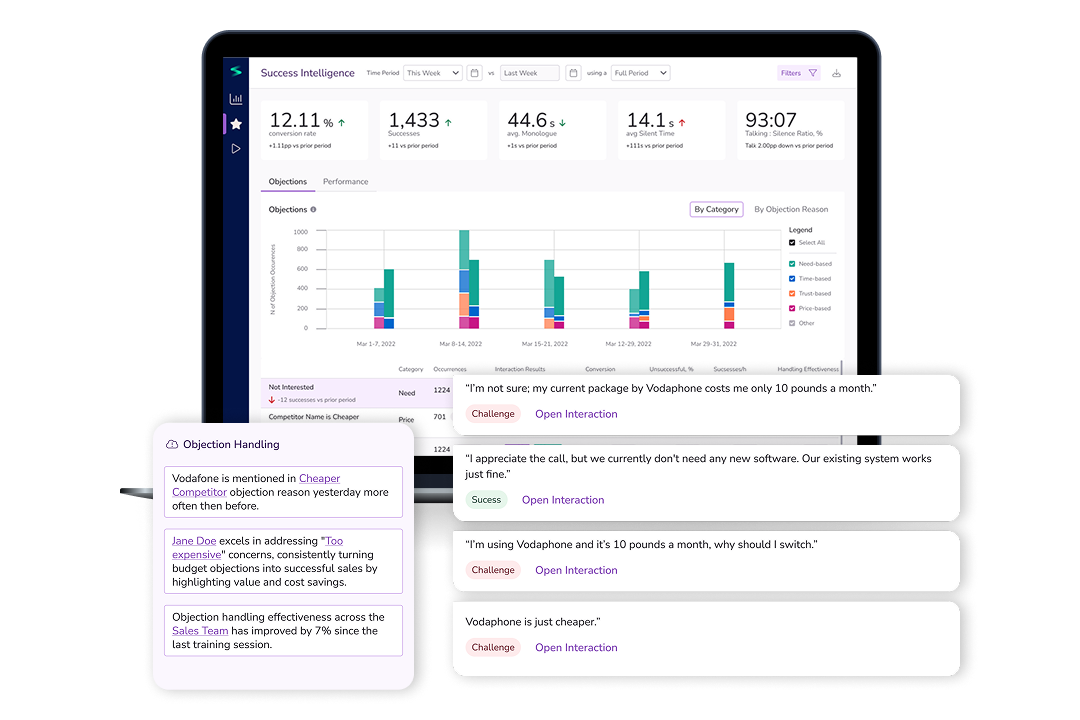
About
Client: MaxContact, a contact center software company serving businesses with contact center teams. Previous episode: On how I stopped worrying and embraced generative AI.
I led UX strategy, research synthesis, and design execution, from early concepts to developer handoff, collaborating closely with engineers, analysts, and business stakeholders.
Timeline
5 months
Results:
- 1st iteration finished in 3 months, released in production in 5 months;
- 100+ licences signed up.
Challenge
Sales rep performance is the primary revenue driver for contact center businesses — yet managers had almost no systematic way to understand what was working and what wasn't.
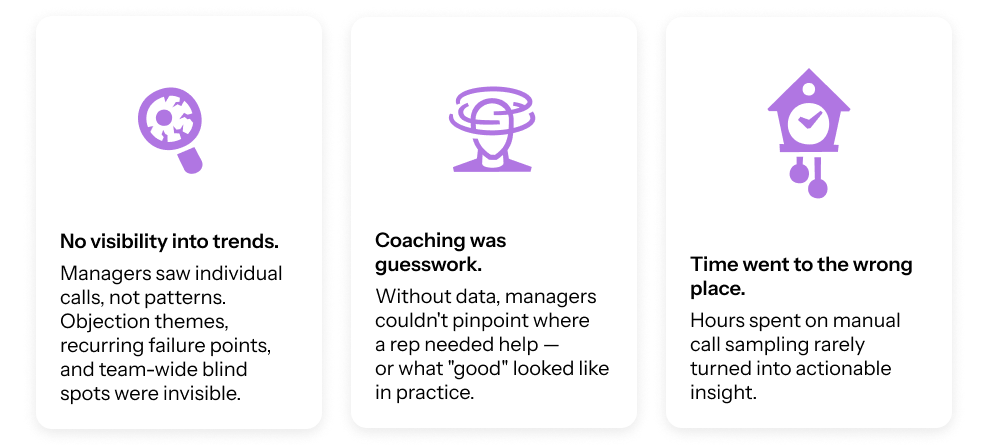
The default workflow: listen to a handful of calls manually, try to spot patterns, and coach based on instinct. With hundreds of interactions happening daily, this meant problems compounded in silence. By the time an issue became visible — a drop in conversion, a rep struggling — it was already late.
Three things were going wrong:
Approach
Research & framing
Working from prior custdev interviews and client feedback on the first Spokn AI release, two things stood out:
- Objection handling was a known blind spot with no tooling around it.
- Agents were often blamed for systemic issues — pricing, targeting, product-market fit — that were outside their control.
After a design sprint involving the whole team, we were looking for the initial solution ideas.
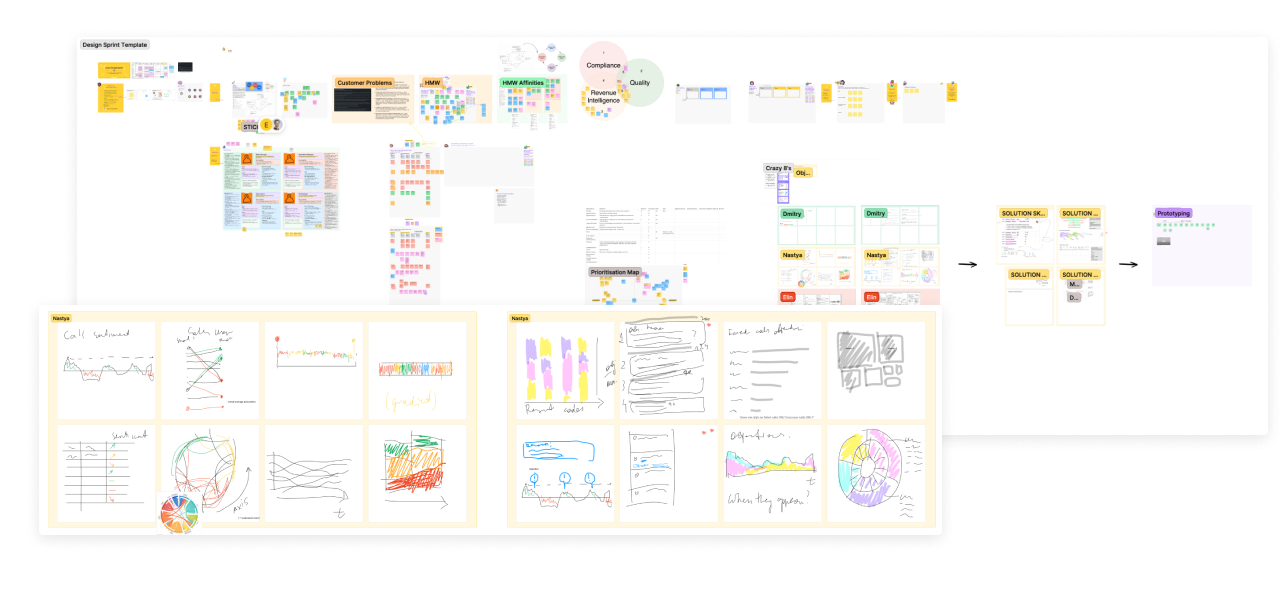
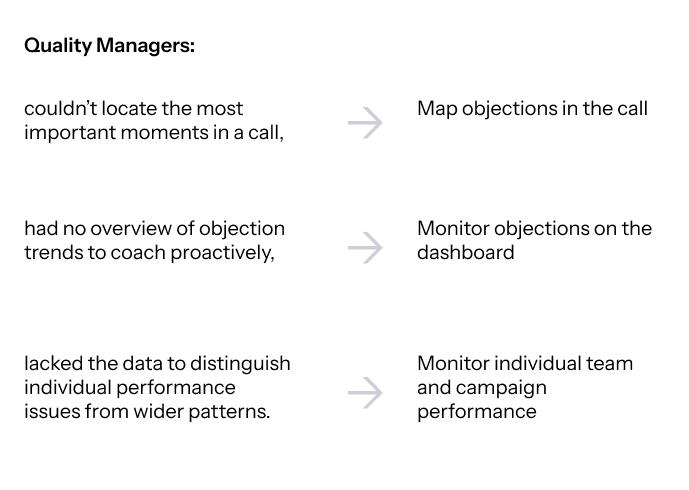
Research pointed to three core design problems we found ourselves solving:
Develop
We broke the product into three increments: Objection Mapping, Performance Analytics, and AI Insights — building from structured data toward deeper intelligence. The key design decision came early: the dashboard.
One early concept visualized agent performance across each objection type as a scatterplot grid — volume of calls vs. conversion rate, per objection. It showed at a glance who was handling "Too Expensive" well and who wasn't.
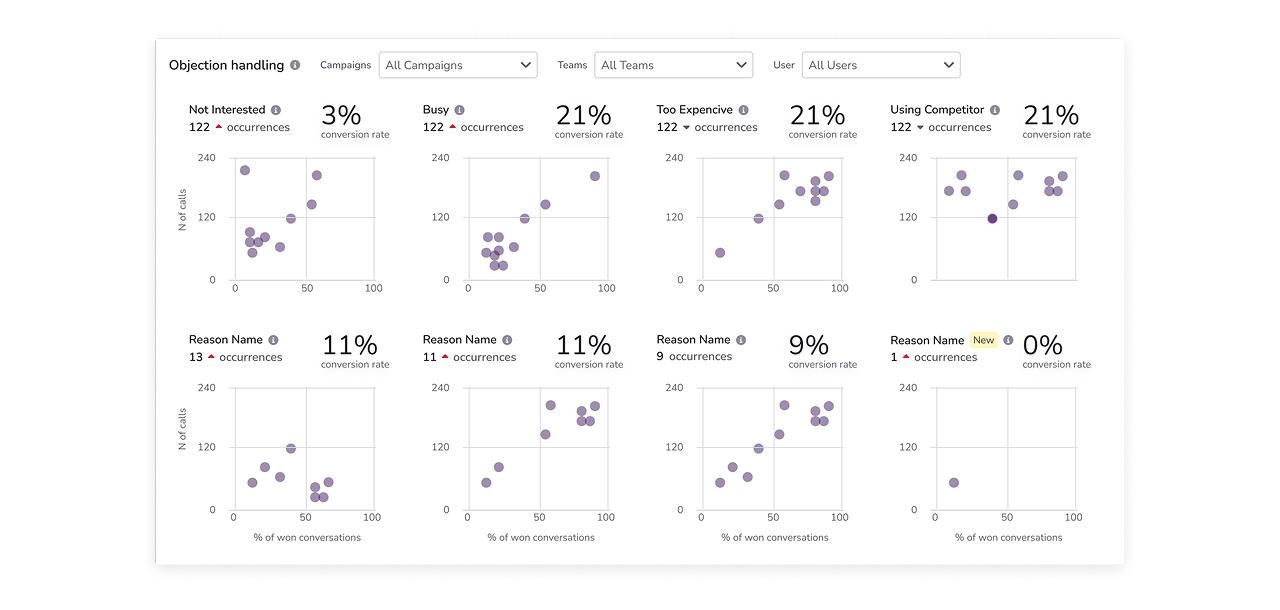
The PM flagged it as too complex for the target users, and we moved toward simpler tabular views.
We split the dashboard into two tabs — same underlying data, two lenses. The Objections tab to surface environmental patterns; the Performance tab to zoom in on people. That framing also shaped how managers would actually use it: diagnose the trend first, then find who needs support.
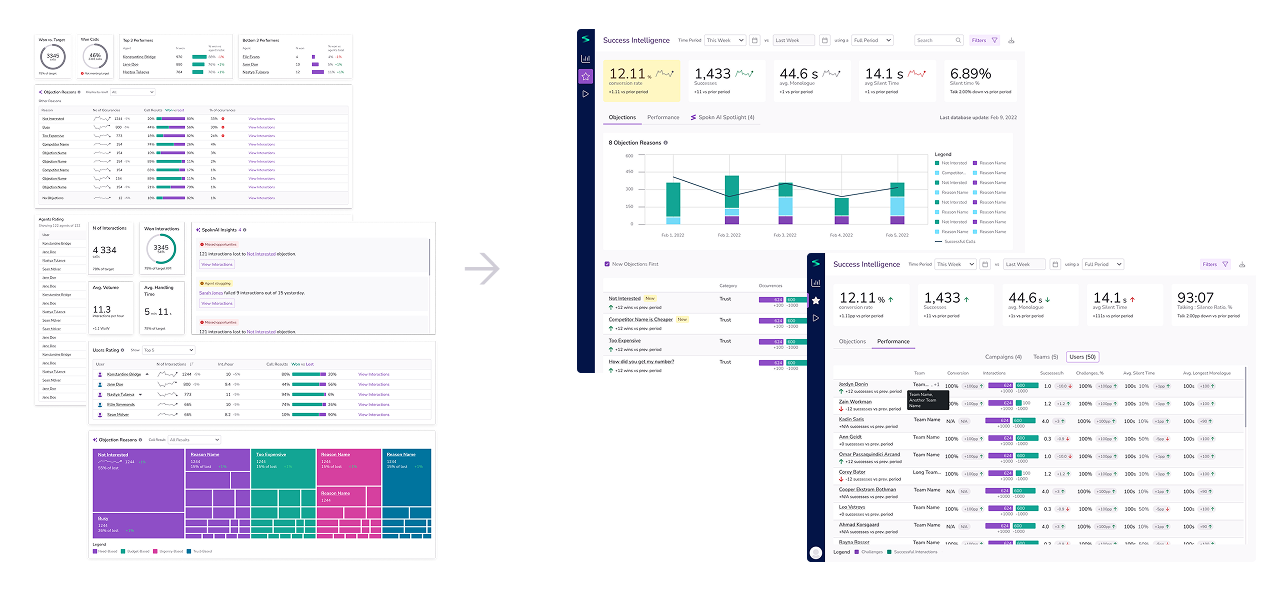
One constraint that shaped the timeline: legal and privacy requirements meant we couldn’t use off-the-shelf LLMs — we had to train custom models on our own data, which slowed the AI Insights phase considerably.
Solution
Dashboard: objections frequency vs agent performance
The dashboard provides two ways of looking at the data depending on the current focus of the manager.
The Objections tab shows their frequency among the selected conversations. This helps see the signals from the environment.
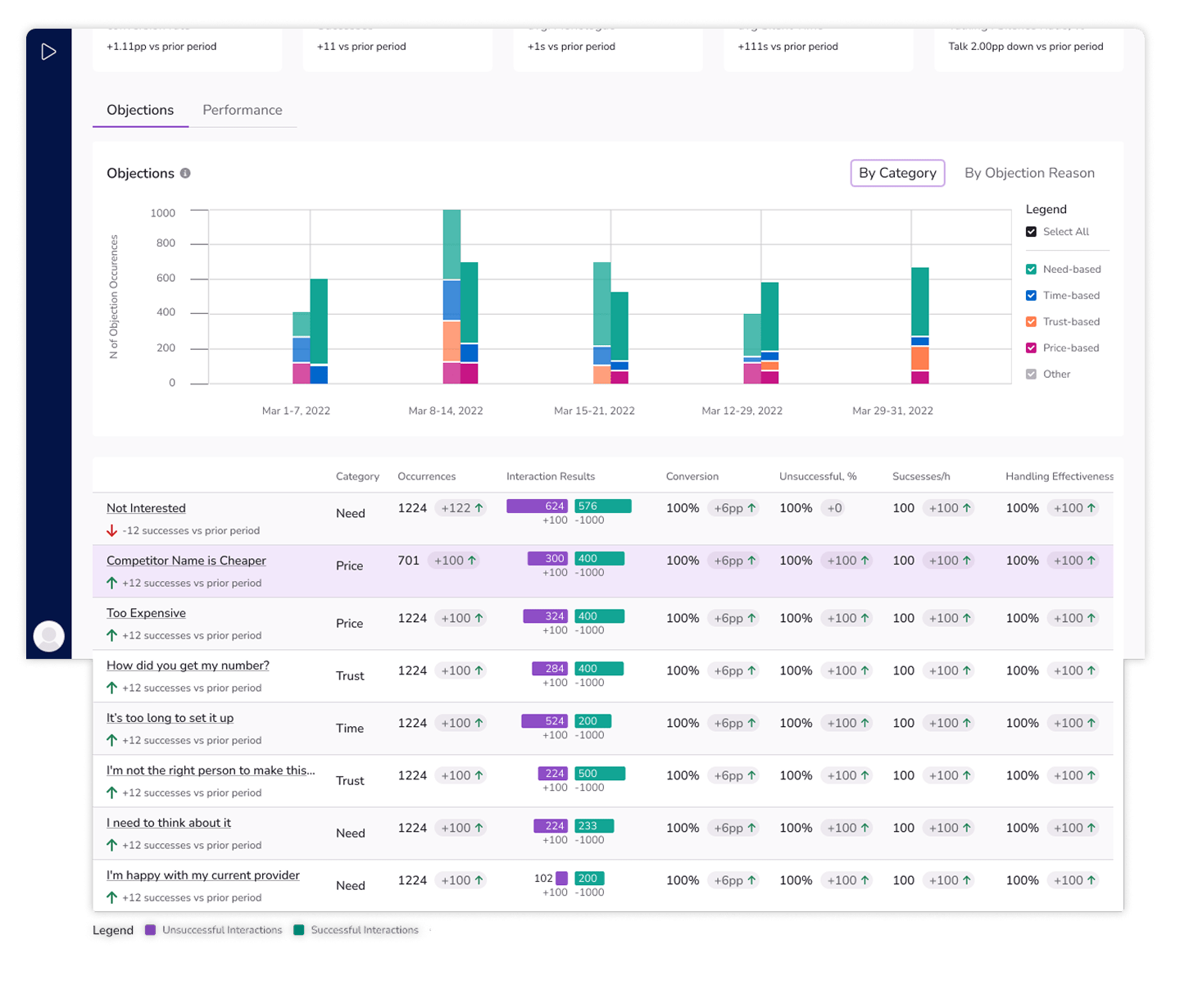
The Performance tab emphasizes the success rate of the teams, campaigns and separate agents. Thanks to this, the manager can provide training and coaching to the ones who need it the most, and connect the strongest members of the teams with the ones needing support.

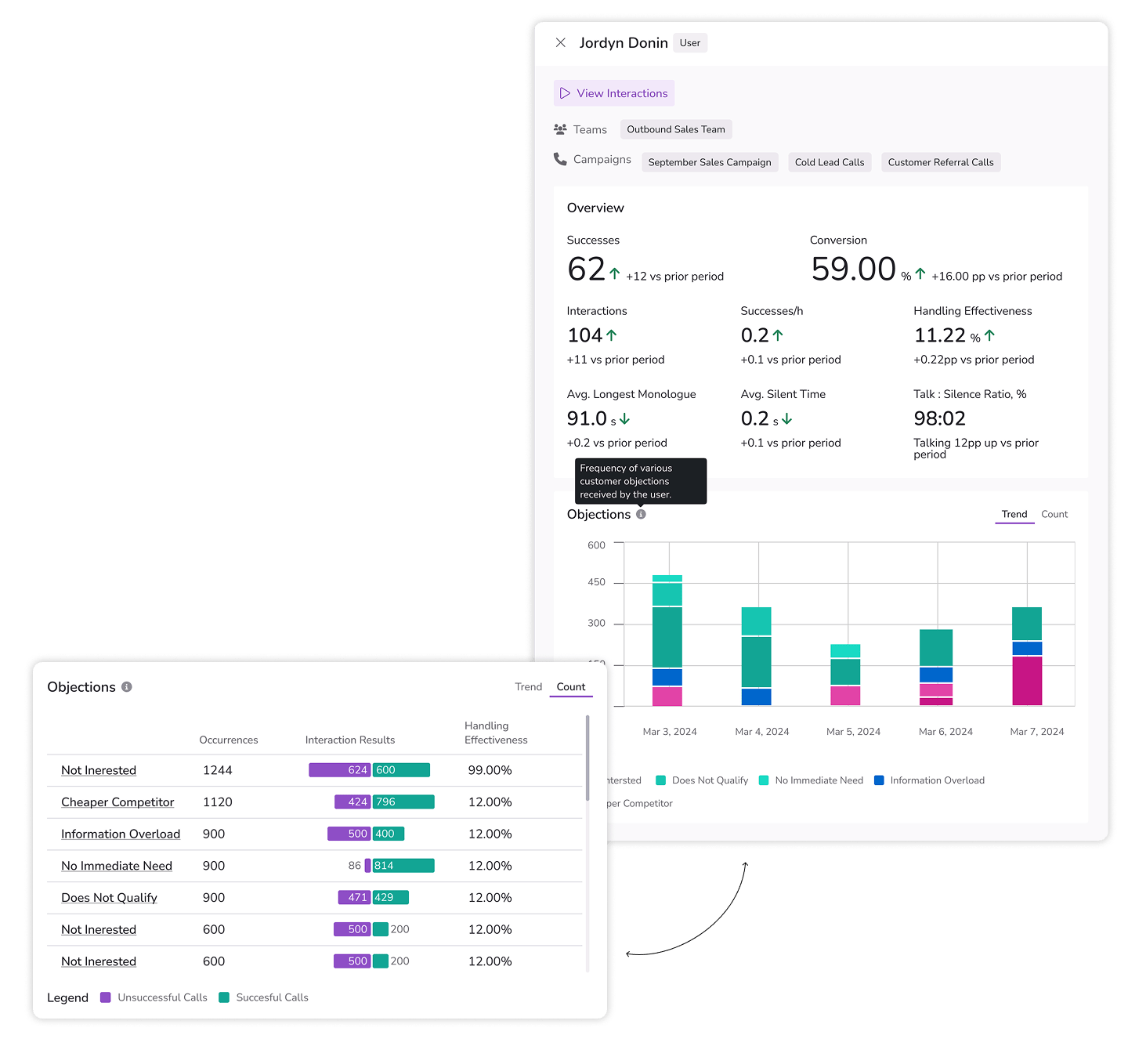
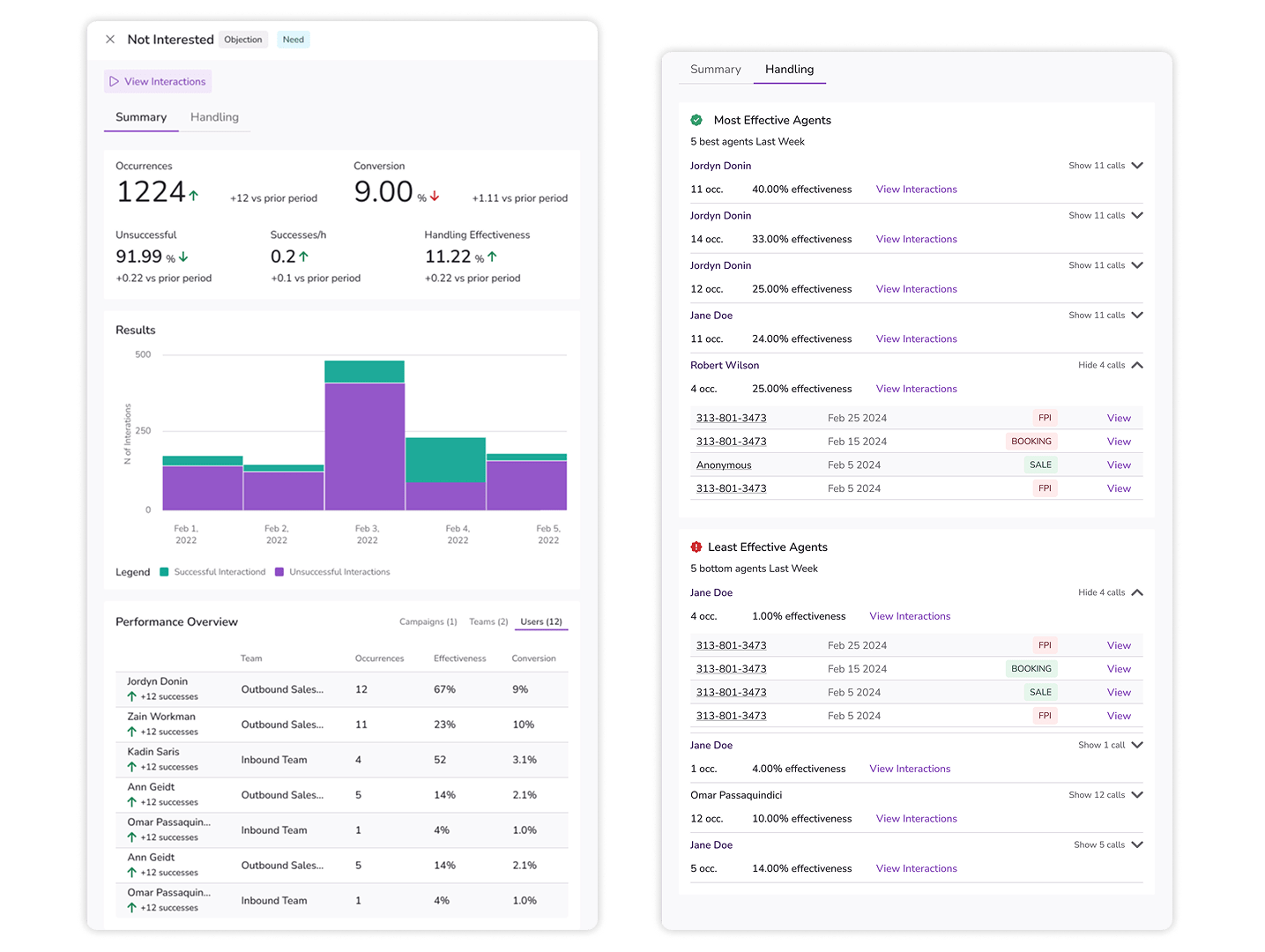
Objections details
Objection details overlay provides a view on its frequency and the efforts in handling them.
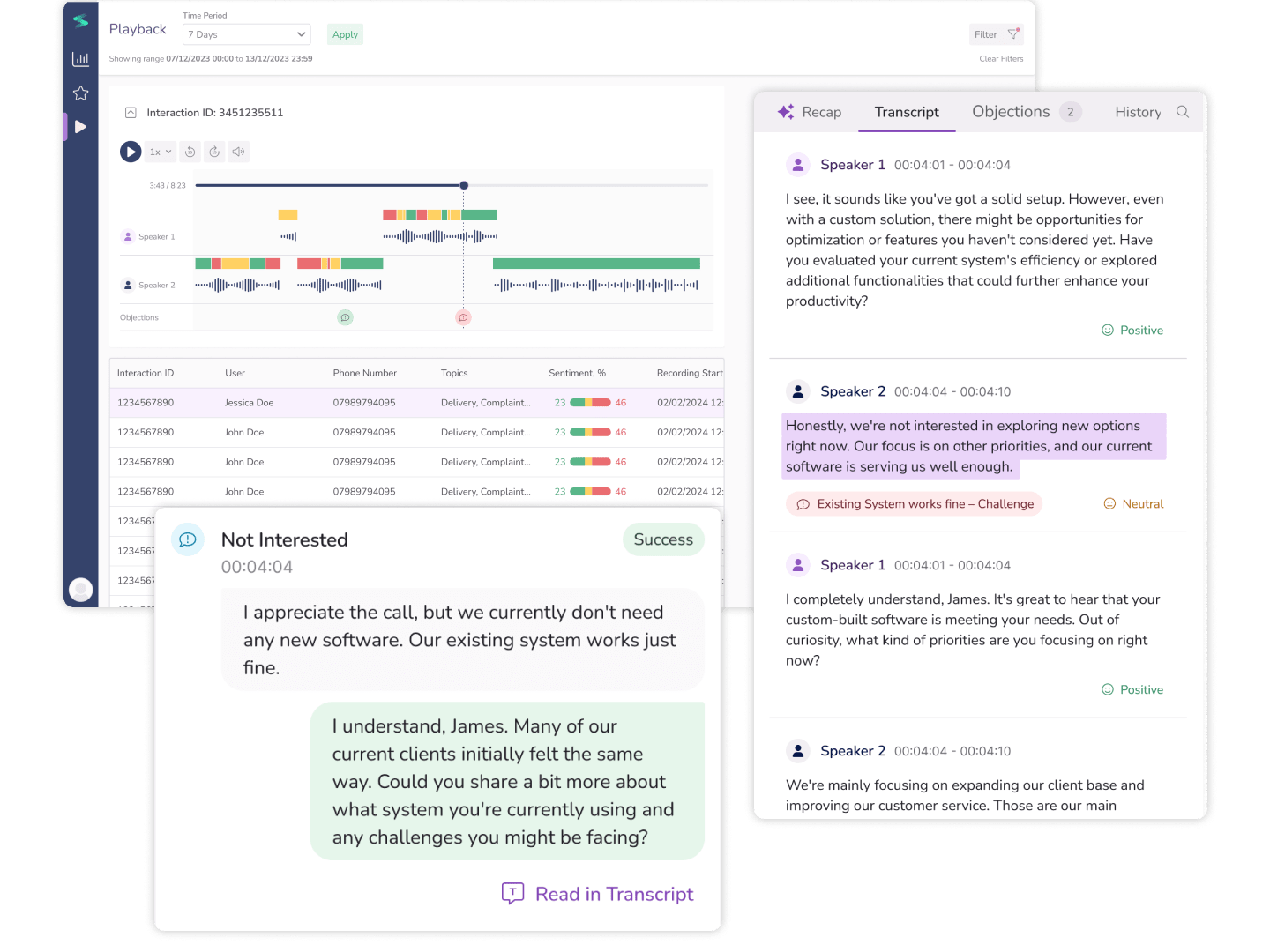
Interaction details
Objections are highlighted in the interaction analysis: the user can jump right to them, find them in the transcript and examine its details.
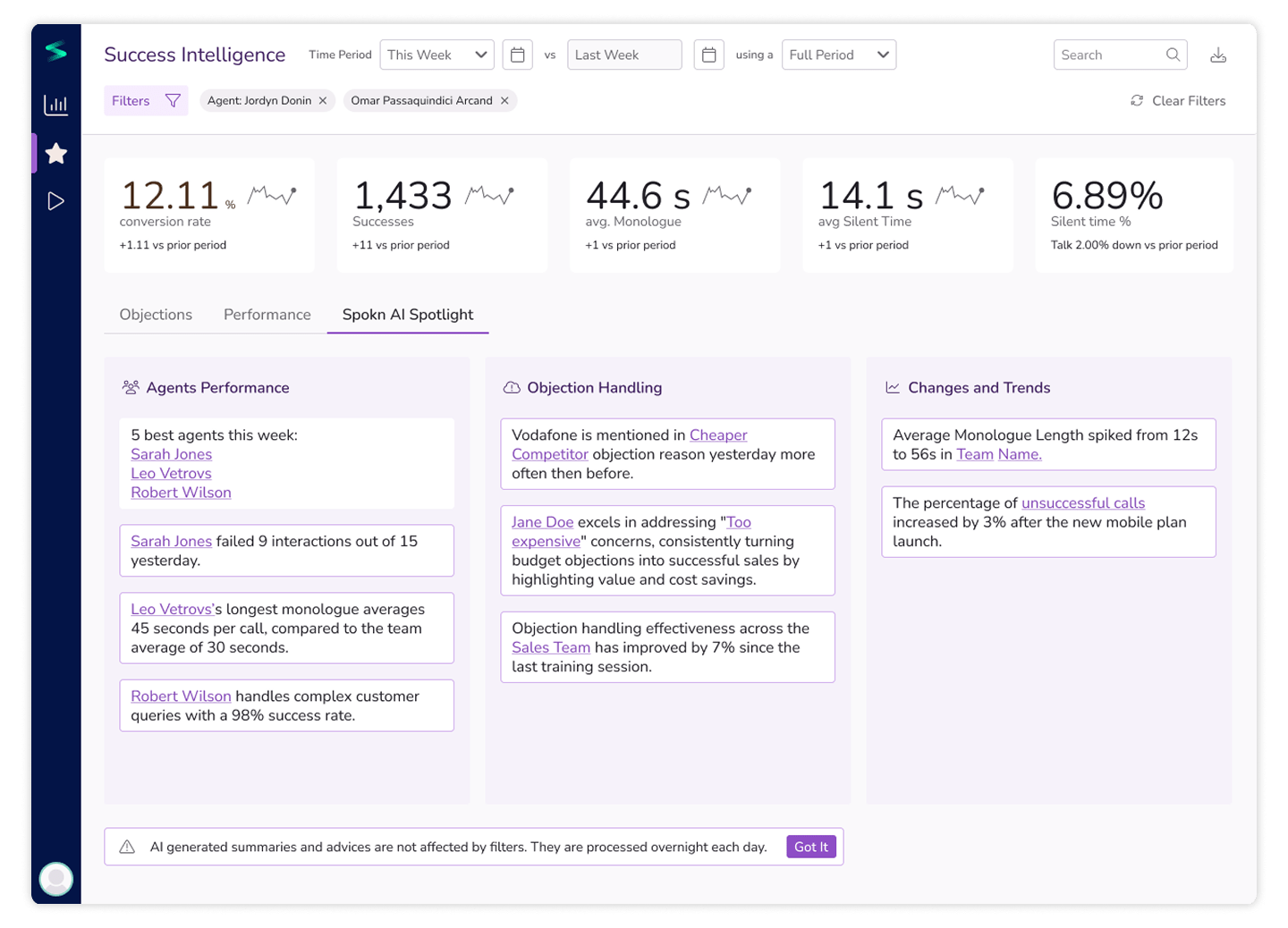
AI insights — Spokn AI Spotlight
The final, and the most fun part of the service was supposed to be AI insights page based on patterns the model finds in the conversations data.
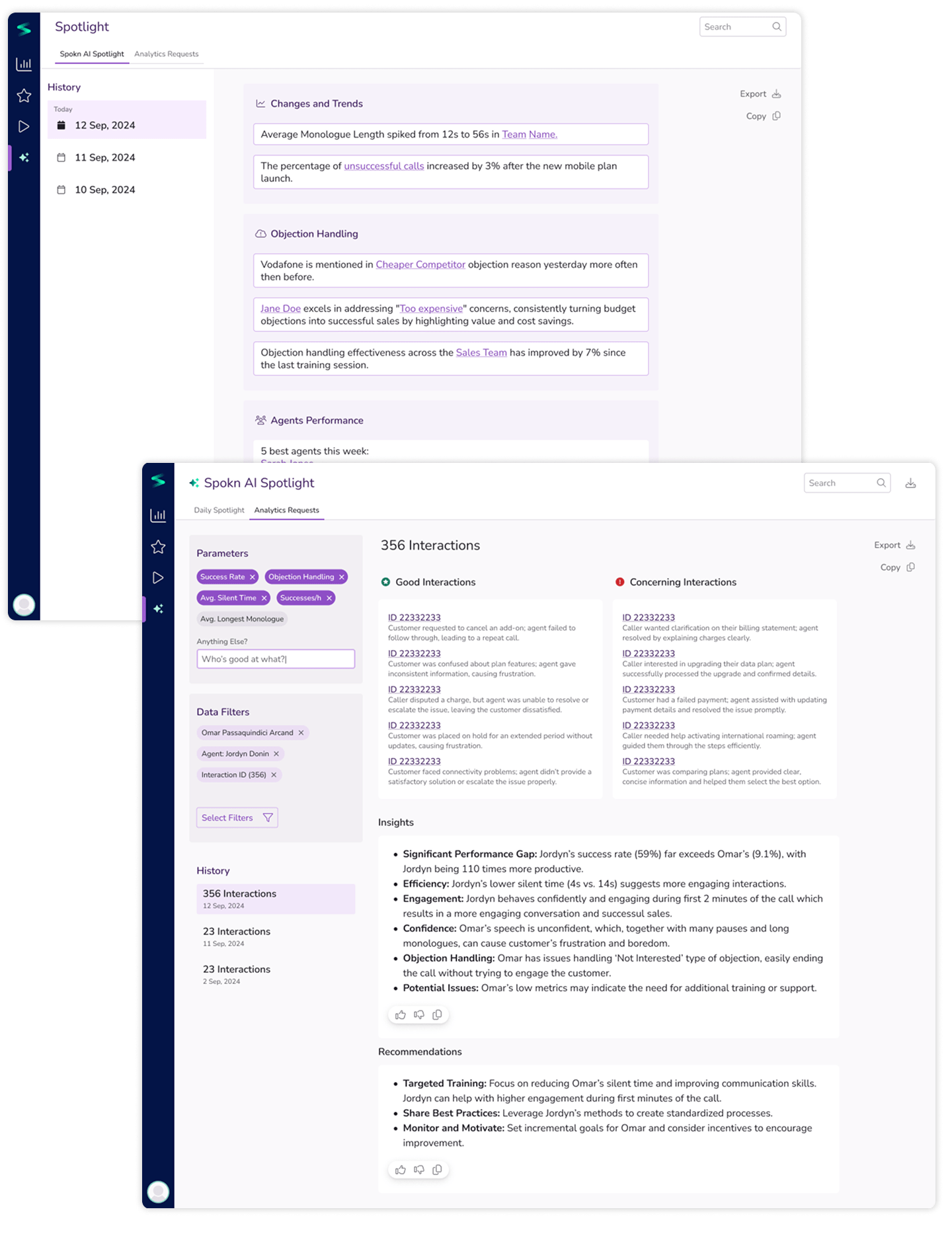
This is what we wanted to look like in the end: general insights combined with on-demand analysis of very detailed requests and questions based on analytics of backend data and transcripts content.
Impact
We shipped the pilot version in 3 months and rolled out the full release in 5. Over 100 licenses were signed early on, and the customers reported immediate value from the transcription and summarization features—even before full-scale rollout of the Success Intelligence modules.
As a business, we are very committed to Al and the value it brings. We've found a lot of use in Spokn Al, the speech transcription and summarisation feature has been a massive help.— Call centre manager of one of the customers
I handed off production-ready mockups before my engagement ended — our part of the team was let go due to budget cuts. The early impact validated our shift in direction—from raw transcript analytics to targeted sales support.
Nastya's ability to balance creativity with practical constraints, along with her proactive engagement across teams, was instrumental in the project's success. (...) I highly recommend Nastya for any team looking to advance their product offerings. Her expertise, initiative, and collaborative spirit make her an asset in any fast-paced environment.— Drew Naylor, Product Manager at MaxContact
Reflection
Honestly, this was a tough one. I was the only designer on the project, with no mentor, navigating a strong PM, a tight timeline, and research I hadn't run myself. Not the most comfortable conditions to do your best work.
But it was also the first time a client team gave me this level of trust and ownership — and that meant a lot. Looking back, I can see where my visual design skills have grown since. Still, when the devs mentioned it was one of the nicest UIs they'd worked with, I held onto that.